Transferring your inMusic hardware or software product to another inMusic account has never been easier. Before you begin, kindly review the following article to familiarize yourself with the requirements and limitations associated with the license transfer tool.
TABLE OF CONTENTS
- Requirements & Limitations for License Transfer
- How to perform a License Transfer
- FAQ
- Can I transfer more than one license at a time?
- Is there a fee to deactivate and transfer a software license through inMusic Profile?
- I own a bundle/collection. Can I transfer some of the titles and keep the others?
- What will happen once I complete the License Transfer?
- If I transfer hardware to the new user, will I get to keep the software?
- I accidentally purchased software using the wrong email address; can I use License Transfer to send my license to the correct inMusic Profile account?
Requirements & Limitations for License Transfer
- License(s) to be transferred must be for a full version of the software title.
- Subscription/rent-to-own, demo, separate titles from a bundle/collection, Expansions, and NFR (not for resale) licenses cannot be transferred.
- Subscription/rent-to-own, demo, separate titles from a bundle/collection, Expansions, and NFR (not for resale) licenses cannot be transferred.
- Software License(s) to be transferred must be owned separately from a hardware product.
- Software licenses included as a part of a bundle for a hardware product are tied to the hardware and cannot be transferred.
- Software licenses included as a part of a bundle for a hardware product are tied to the hardware and cannot be transferred.
- Only software licenses authorized through the inMusic Profile are eligible for transfer by inMusic.
- Any software using the iLok/Pace authorization system can be transferred using the iLok License Manager and may be subject to a fee from iLok. Please visit the iLok Website and FAQ for more details.
- Any software using the iLok/Pace authorization system can be transferred using the iLok License Manager and may be subject to a fee from iLok. Please visit the iLok Website and FAQ for more details.
- The request can only come from the current License Holder.
- The License Holder must already have an inMusic Profile account to initiate the transfer request.
- The recipient must already have an inMusic Profile account. If they don't, they can create one for free HERE.
How to perform a License Transfer
- Log in to your inMusic Profile account HERE
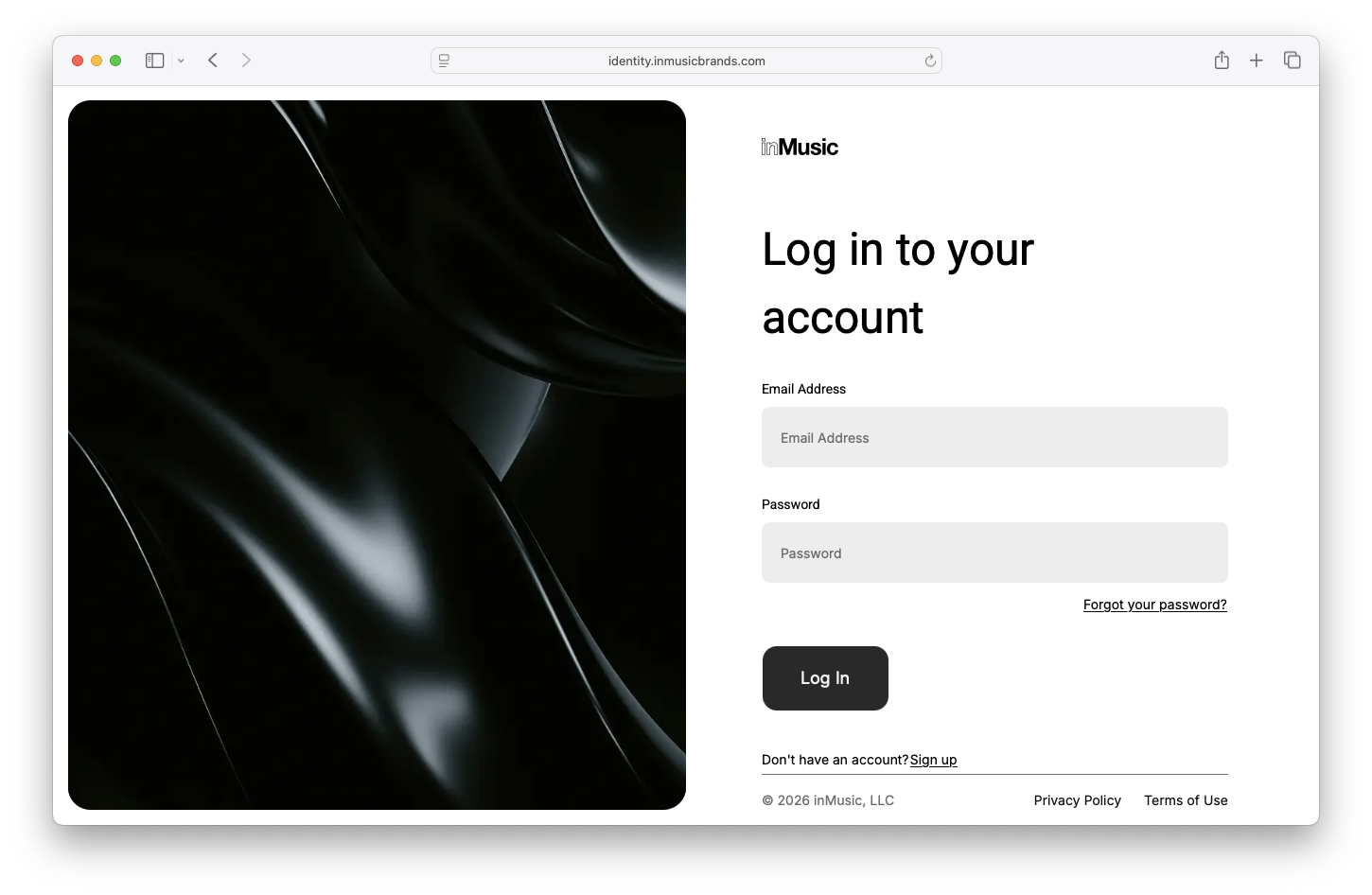
- Click either 'My Hardware' or 'My Software', depending on the product you wish to transfer:
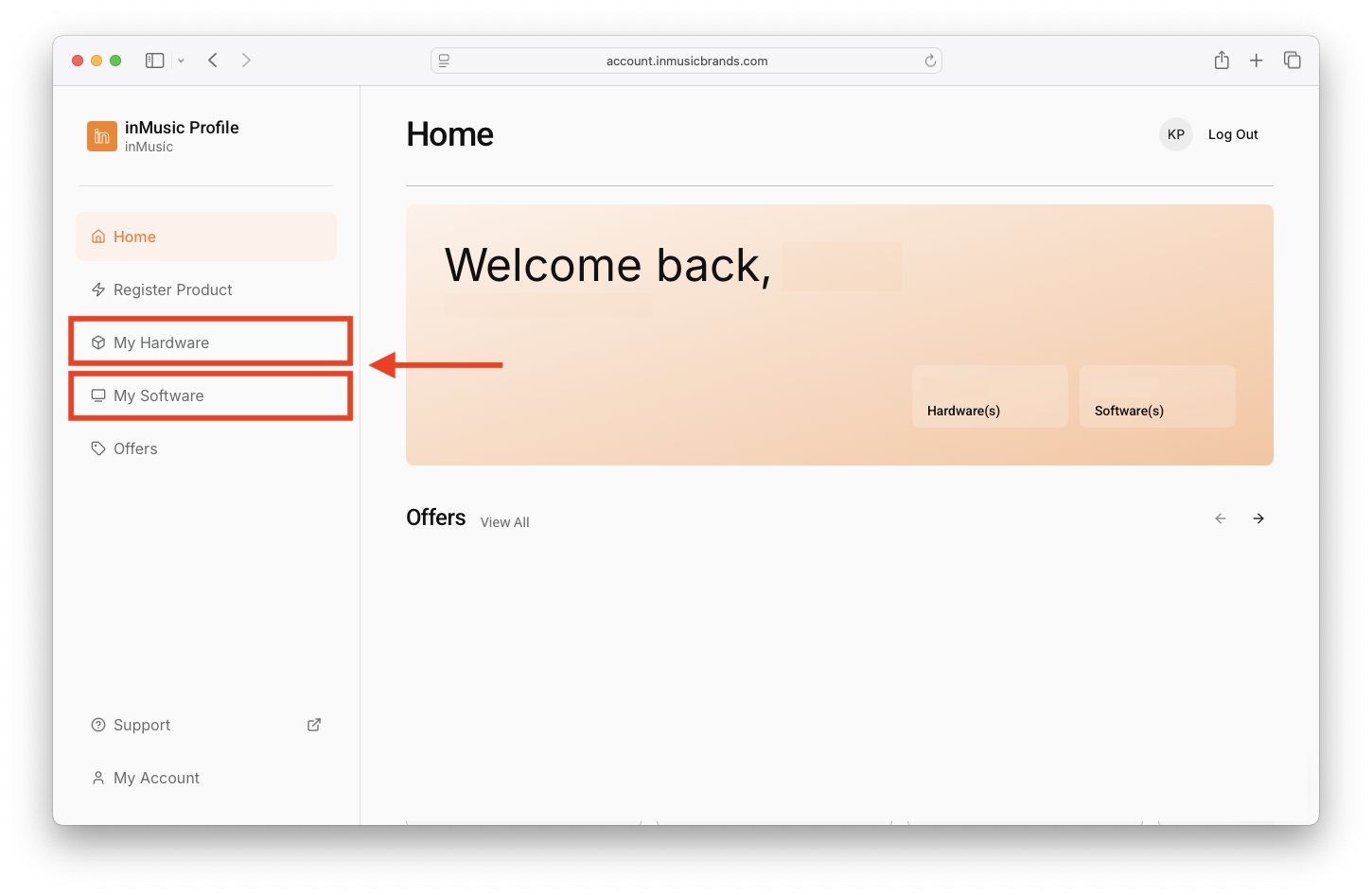
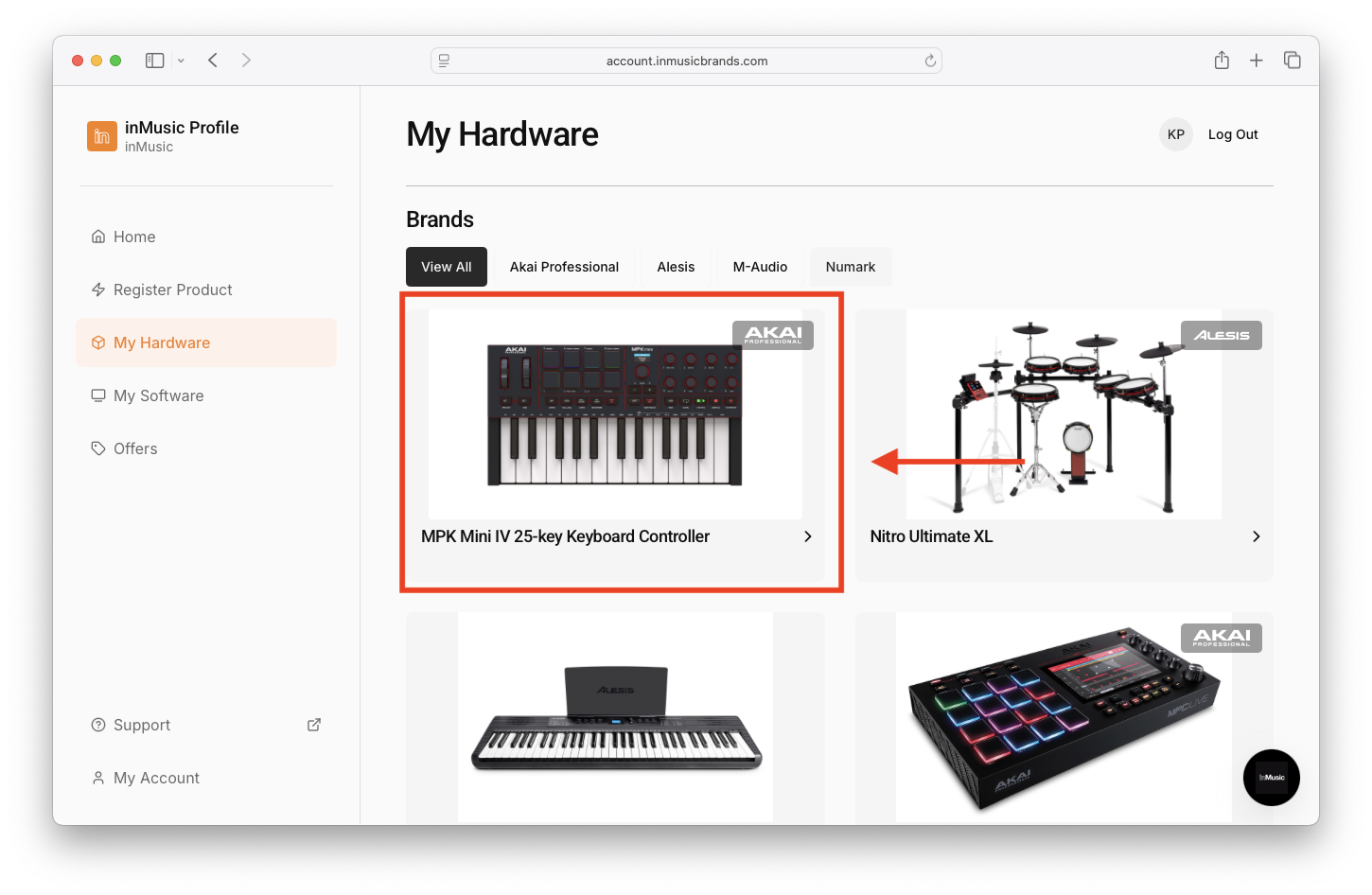
- Locate the product you wish to transfer, and click on it:
- Scroll down to the bottom of the page, and click 'Initiate Transfer':
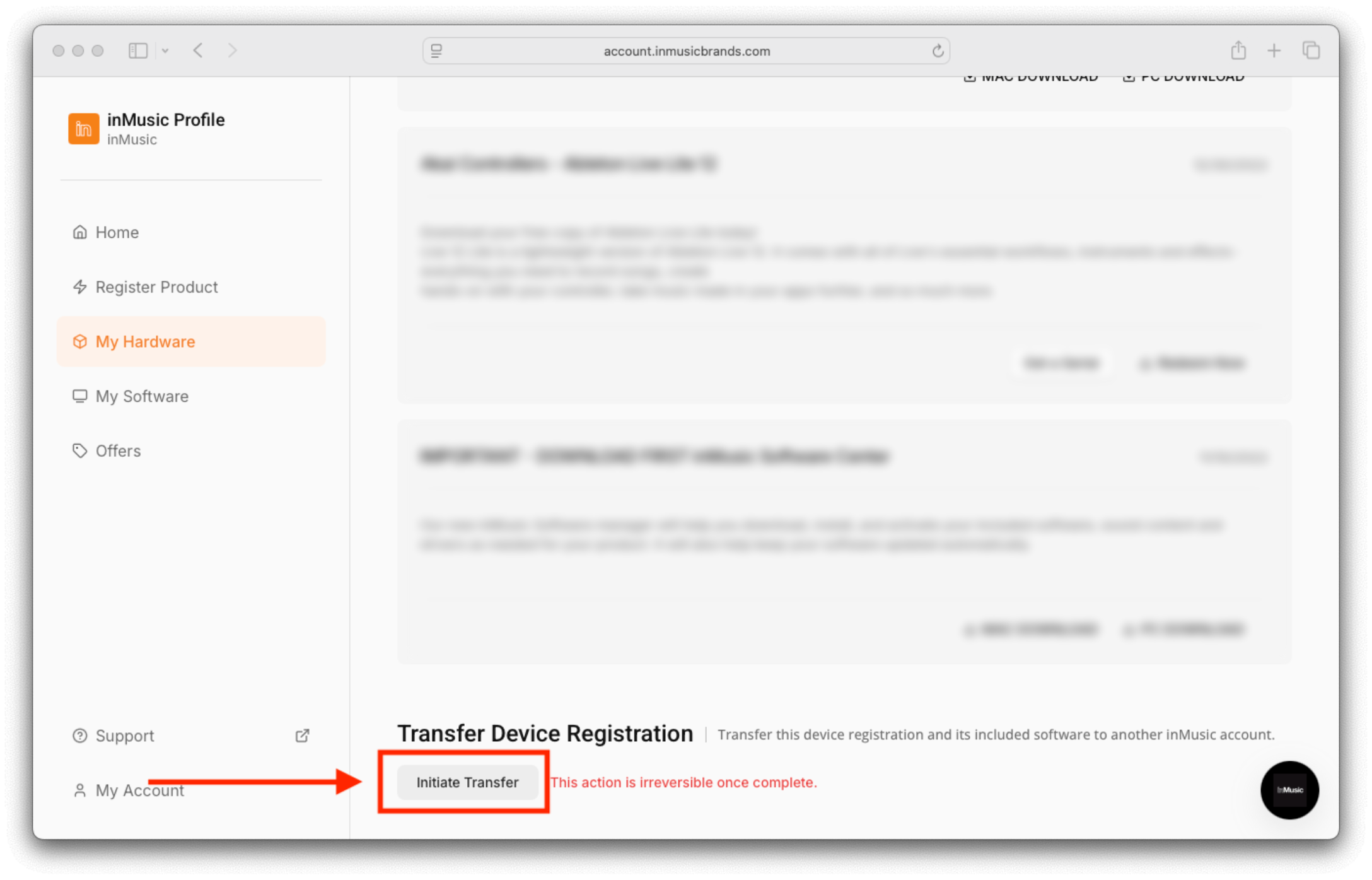 Note: This action is irreversible once complete
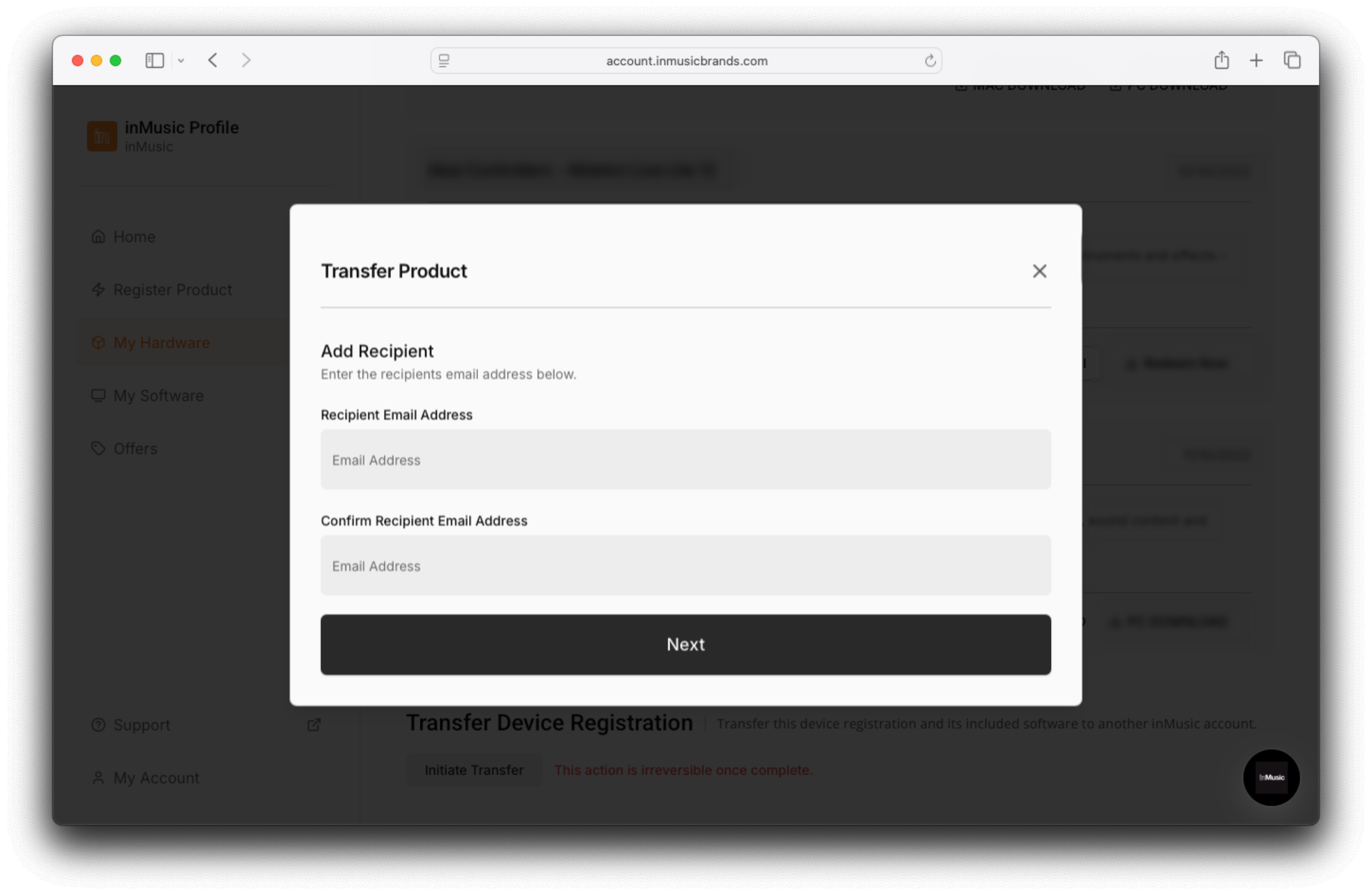
 - Enter the email address of the recipient. Double-check that the information is correct, and click 'Next':
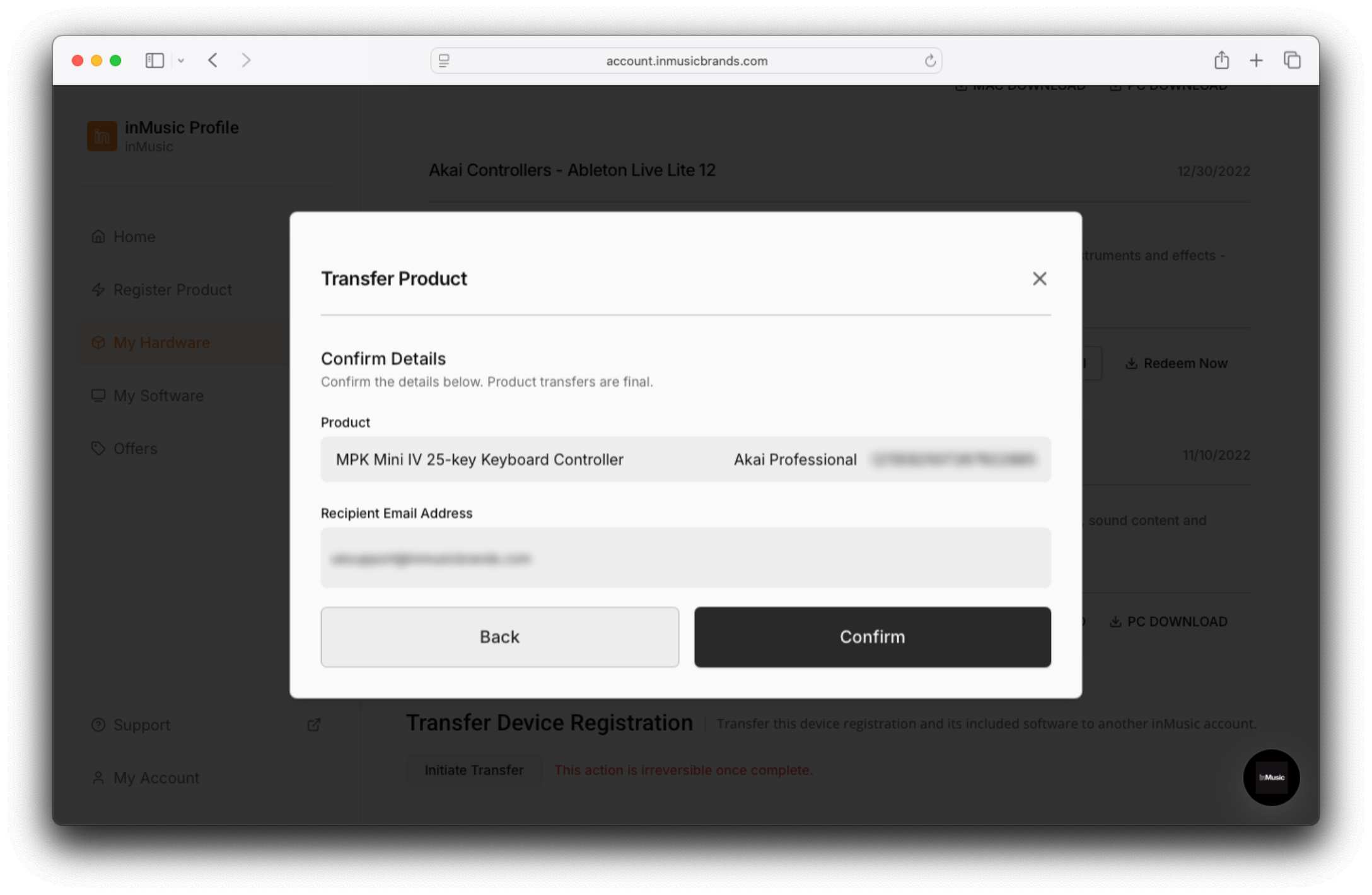
- Confirm / Verify the details upon transfer, and click 'Confirm':
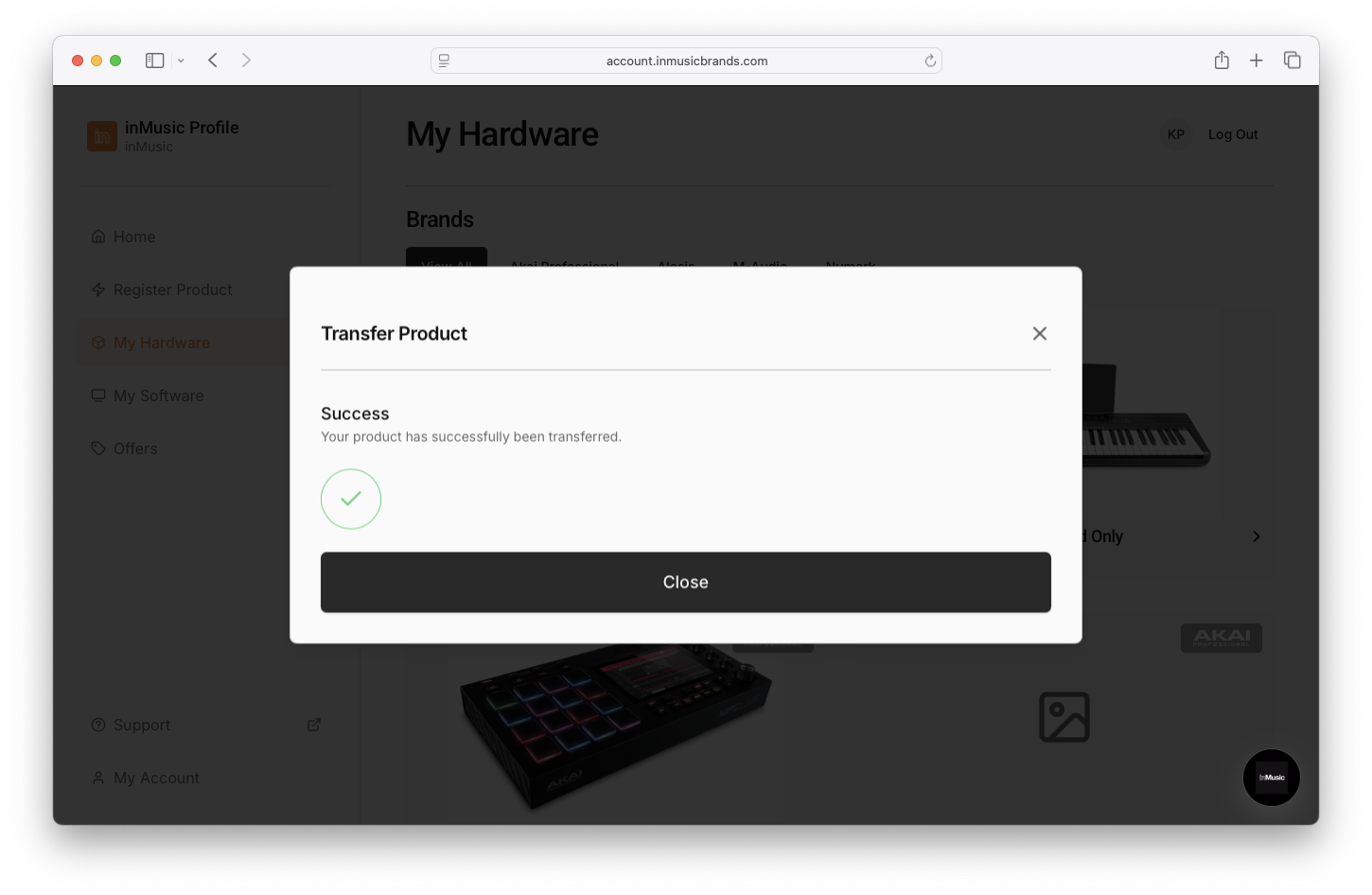
- Success! Your License Transfer has been completed
FAQ
Can I transfer more than one license at a time?
No - Currently, License Transfer from inMusic Profile can only be initiated one at a time for each product.
Is there a fee to deactivate and transfer a software license through inMusic Profile?
No - Any Akai Pro, AIR, or BFD software licenses authorized through an inMusic Profile will not be subject to any deactivation or transfer fees.
Sonivox/MixMeister software using the iLok/Pace authorization system will need to be transferred using the iLok License Manager and is subject to a fee from iLok. Please visit the iLok Website and FAQ for more details.
I own a bundle/collection. Can I transfer some of the titles and keep the others?
No, titles included in a bundle/collection cannot be separated and transferred to another user. The entire bundle may be suitable for transfer.
What will happen once I complete the License Transfer?
Once the request has been initiated, the recipient will automatically receive the license deposit in their inMusic Profile account; along with all included software and offers.
If I transfer hardware to the new user, will I get to keep the software?
No - Transferring hardware bundled with software will remove the software from your account and transfer it to the new user.
I accidentally purchased software using the wrong email address; can I use License Transfer to send my license to the correct inMusic Profile account?
Yes - If you have accidentally purchased software using the wrong email address, you can use the License Transfer feature to transfer it to the intended inMusic Profile account.
Was this article helpful?
That’s Great!
Thank you for your feedback
Sorry! We couldn't be helpful
Thank you for your feedback
Feedback sent
We appreciate your effort and will try to fix the article